<html>
<head>
  <title>Slackware Linux on the IBM Thinkpad A21m</title>
</head>
<body bgcolor=FFFFFF text=000000>
<hr>
<B>Quick menu: 
<A HREF="#graphics">Graphics</A>, 
<A HREF="#ethernet">Ethernet</A>, 
<A HREF="#audio">Audio</A>, 
<A HREF="#dvd">DVD</A>, 
<A HREF="#modem">Modem</A>, 
<A HREF="#links">Links</A>
<hr>
<br>

<table border=0>
  <tr>
    <td valign=top>
      <center>
      <img src=tux.gif border=0><br>
      <img src=a21m.gif border=0><br>
      <a href=http://www.slackware.com><img src=tryslack.gif border=0></a></center>
    </td>
    <td>
      <font size=5>Slackware Linux on the IBM Thinkpad A21m</font>
      <br>
      [ <a href=mailto:michaeljamesTAouTODedu>email michaeljamesATouDOTedu</a> ]
      <br>
      <i>Last Updated October 17, 2002</i>
      <br>
      <font size=2>
      <ul>
        <li>2002-09-22: Update on working <a href="#dvd">DVD</a> players, and <a href="#audio">sound</a> as well.
        <li>2002-06-01: <a href="#audio">OSS sound driver</a> 3.9.6e functions at 100% with the Cirrus Logic 4614 for the 2.2.* kernel.  Much better than ALSA drivers.  I was able to install it and use it for the 2.4.18 kernel (Slackware 8.1-rc1) but am having problems since then.
        <li>2002-02-07: More thorough explanation for installing <a href="#audio">sound drivers</a>.
        <li>2002-01-05: PCMCIA <a href="#ethernet">ethernet cards</a> now work.
        <li>2002-01-03: More PCMCIA ethernet issues, also DVD update.
        <li>2001-12-31: PCMCIA ethernet issues, OSS audio driver, kernel update from 2.2.19 to 2.4.5
        <li>2001-10-30: <a href="#modem">Lucent winmodem</a> drivers now working, PPP setup as well.
      </ul>
      <br>
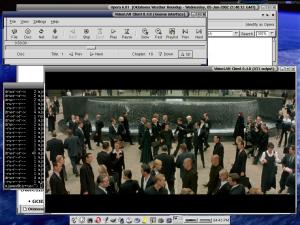
      <img src=a21m/a21m_ss_2.jpg border=0 align=right>
      <b>A21M SPECS</b>
      <ul>
        <font size=2>
        <li>Processor:   800 Mhz P3
        <li>Memory:      192/512 Mb SDRAM
        <li>HD:          20G
        <li>Display:     14.1" 1024x768
        <li>CD:          DVD-ROM 8Xmax-2Xmin
        <li>Graphics:    ATI Rage Mobility M1
        <li>Sound Card:  Cirrus Logic 4614
        <li>Kernel:      2.2.19/2.4.5/2.4.18 (Always changing)
        <li>Other:       Thinking of buying a 250Mb Ultrabay zip drive
        <li>Price:       An arm and three legs...
      </ul>
      </font>
    </td>
  </tr>
</table>

<br>
<ul><font size=2>
  <pre>
  Disk /dev/hda: 240 heads, 63 sectors, 2584 cylinders
  Units = cylinders of 15120 * 512 bytes

     Device Boot    Start       End    Blocks   Id  System	Mount Point
  /dev/hda1   *         1       542   4097488+   7  HPFS/NTFS	/win
  /dev/hda2           543      1188   4883760   83  Linux native	/
  /dev/hda3          1189      1205    128520   82  Linux swap	
  /dev/hda4          1206      2584  10425240   83  Linux native	/home

  hrparm -t /dev/hda produces about 14 Mb/s

  </pre>
</ul>

<br>


  <b>INTRODUCTION</b>
  <ul>
    The A21m came pre-installed with Windows(tm) 2000 Professional on one big 20Gb partition.  After unsuccessfully trying to change the partition table 
with fdisk and cfdisk on a Linux boot disk, (and also not wanting to pay money for software such as Partition Magic), I erased it all.  My hard drive 
was bare. I then formatted a 5Gb root partition with 10Gb for /home and 128Mb for a swap partition.  I then mount a 4Gb NTFS partition to /win.
  </ul>
  <br>
  <img src=a21m/slack.png height=32 width=32><b>DISTRIBUTION</b>
  <ul>
    Slackware (8.0/8.1/9.0).  I choose this distribution mostly because it is what I've always used, and secondly because Slackware seems to keep 
themselves from slapping their name and logo all over everything like some other distributions.  I also enjoy having full control over software 
installation.  Simply download and burn slakware/isos/install.iso and it should start up at boot time.  I prefer to use <a 
href="ftp://ftp.cerias.purdue.edu">ftp.cerias.purdue.edu</a> to grab the isos.
    <br>
    <br>
  </ul>
  <a name=graphics>
  <img src=a21m/gfx.png height=32 width=32><b>GRAPHICS</b>
  <ul>
    Everything worked just fine using <b>/usr/X11R6/bin/xfree86setup</b>. Here is my [ <a href=XF86Config-slack8.txt>XF86Config</a> ] file for Slackware 
8.0, XFree86 version 4.1.0.
  </ul>
  <br>
  <a name=ethernet>
  <img src=a21m/network.png height=32 width=32><b>ETHERNET</b>
  <ul>
    I opted to not buy the internal ethernet card.  Both the <i>Linksys EtherFast 10/100 PCMCIA PC card (PCMPC100)</i> and the <i>Linksys EtherFast 
10/100 PCMCIA Integrated PC card (PCM100)</i> work great out of the box, both using the pcnet_cs module. I've also tried to use drivers for a RangeLan 2 
wireless card but that was unsuccessful.  To read about the wireless drivers, please visit <a 
href=http://www.komacke.com/distribution.html>http://www.komacke.com/distribution.html</a>.
    <br>
    <br>
    I currently use a <a href=http://www.netgear.com/product_view.asp?xrp=4&yrp=12&zrp=93>Netgear RP114</a> router for my home LAN.
    <br>
    <br>
  </ul>
  <a name=audio>
  <img src=a21m/audio.png height=32 width=32><b>AUDIO</b>
  <ul>
  <li>OSS
  <ul>
    Currently I use the OSS driver (version 3.9.6e) sold by <a href=http://www.opensound.com>4 Front</a>.  Earlier versions of 
the OSS driver did not work properply, but 3.9.6e works perfectly.  I recommend it over ALSA drivers to everyone. I have also 
successfully used the 2.4.5 kernel sound drivers but the quality is very poor.  For those who wish to use the ALSA drivers, I have 
included the section below.
    <br>
    <br>
If you are using the shareware version of OSS, note that it does not come with Crystal drivers, you will have to buy OSS for that.  If this is your 
case, the kernel sound driver will work.
  </ul>

    <li>ALSA
    <ul>
      <a href=http://www.alsa-project.org>ALSA</a> drivers work well with the Cirrus Logic 4614. I followed the instructions found <a 
href=http://www.airlineticket-center.com/suresh/linux/laptop/sound.html>here</a> and everything works well.  I really can't 
cover the process better than the author of that page.
      <br>
      <br>
       Be aware that when loading the modules automatically at startup, if you're using the Gnome desktop environment (gnome-session) you must disable 
esd on startup or gnome will try to take over your sound card and cause it to stop working for that session.  If you're using KDE then be sure to 
disable artsd. If you're not sure whether the sound drivers are loading correctly and gnome-session is just locking the sound card up, check your system 
messages for any IRQ conflicts.  If there are none, try to play a sound file before starting X (use <i>mpg123 filename.mp3</i>).  If sound works before 
you <b>startx</b> but not after you are inside your desktop manager, you need to disable esd.  
If you use a display manager such as <b>KDM</b> or <b>GDM</b>, the only advice I can give is 
to somehow get out of it to a terminal to test your sound.
      <br>
      <br>
      Finally, here is what I stuck in <b>/etc/rc.d/rc.local</b>,
    <ul>
    <pre>
/sbin/modprobe snd-card-cs461x
alsactl restore
/sbin/modprobe snd-mixer-oss
/sbin/modprobe snd-pcm-oss
    </pre>
    </ul>
    Here are the versions that I use:
    <ul>
      <li><a href=http://www.alsa-project.org/alsa/ftp/driver/alsa-driver-0.5.11.tar.bz2>alsa-driver-0.5.11.tar.bz2</a>
      <li><a href=http://www.alsa-project.org/alsa/ftp/lib/alsa-lib-0.5.10b.tar.bz2>alsa-lib-0.5.10b.tar.bz2</a>
      <li><a href=http://www.alsa-project.org/alsa/ftp/utils/alsa-utils-0.5.10.tar.bz2>alsa-utils-0.5.10.tar.bz2</a>
      <br>
    </ul>
  </ul>
</ul>
<a name=dvd><br>
<img src=a21m/dvd.png height=32 width=32><b>DVD-ROM</b>
<ul>
  After having some problems with libdvdcss and <a href=http://xine.sourceforge.net/>Xine</a>, I am now using <a 
href=http://www.dtek.chalmers.se/groups/dvd/>Ogle</a> to watch DVD's.  <a href=http://www.videolan.org/vlc/linux.html>VLC</a> also works, just not as 
well.  The instructions for installing any of these players are very 
complete, so the task should not be a challenge.
</ul>
<a name=modem><br>
<img src=a21m/modem.png height=32 width=32><b>MODEM</b>
<ul>
  <b>SUCCESS!</b> I finally got the Lucent winmodem to work, and PPP works as well.  It seems I had run into problems with the various dialup 
utilities available.  First I was manually connecting using dip -v -t, just to make sure the modem could work before automating everything, then I tried 
wvdial, and finally now I just use kppp.  PPP is loaded as a module, so I am no longer getting any of those dreaded <i>PPP daemon has died! (exit code = 
1)</i> messages. <b>Be sure to compile PPP support as a module</b>.
  <br>
  <br>
  Right now the only utility I can get to work 100% is <b>kppp</b>.  wvdial, gnome-ppp, and dip all have their share of problems, so until I have 
more free time I will just use kppp.
  <br>
  <br>
  Here's the ltmodem driver I use: <a href=http://www.heby.de/ltmodem>http://www.heby.de/ltmodem</a>
</ul>
<br>
<br>
<a name=links>
For more information, please see the following pages:
<br>
<ul>
  <li><a href=http://www.sai.msu.su/~er/notebooks/a21m/>www.sai.msu.su/~er/notebooks/a21m</a>
  <li><a href=http://www.airlineticket-center.com/suresh/linux/laptop/calthink.html>www.airlineticket-center.com/suresh/linux/laptop/calthink.html</a>
  <li><a href=http://www.staff.uiuc.edu/~elton/suse-TPA21m.html>www.staff.uiuc.edu/~elton/suse-TPA21m.html</a>
  <li><a href=http://www.sixthexit.com/linux/a21m.htm>http://www.sixthexit.com/linux/a21m.htm</a>
  <br>
  <br>
  <li><a href=http://www.bm-soft.com/~bm/tp_mailing.html>linux-thinkpad mailing list</a>
  <li><a href=http://www.linmodems.org/>www.linmodems.org</a>
  <li><a href=http://www.dejanews.com>DejaNews.com</a> 
  <li><a href=http://www.linux-laptop.net>www.linux-laptop.net</a>
  <br>
</ul>
<hr>
[ <a href=mailto:michaeljamesATouDOTedu>michaeljamesATouDOTedu</a> ] - [ <a 
href=http://weather.ou.edu/~mjames/me.html>weather.ou.edu/~mjames</a> ]
<br>
<br>
<script language="JavaScript" src="http://m1.nedstatbasic.net/basic.js"></script>
<script language="JavaScript">
<!--
  nedstatbasic("ABHN/QW/Mj9fqsIEFW0UmVTX1Xww", 0);
// -->
</script>
<noscript>
<a target="_blank" href="http://v1.nedstatbasic.net/stats?ABHN/QW/Mj9fqsIEFW0UmVTX1Xww"><img src="http://m1.nedstatbasic.net/n?id=ABHN/QW/Mj9fqsIEFW0UmVTX1Xww" border="0" nosave width="18" height="18"></a>
</noscript>
<!--#include virtual="cgi-bin/a21m.cgi"-->
<hr>
<B>Quick menu: 
<A HREF="#graphics">Graphics</A>, 
<A HREF="#ethernet">Ethernet</A>, 
<A HREF="#audio">Audio</A>, 
<A HREF="#dvd">DVD</A>, 
<A HREF="#modem">Modem</A>, 
<A HREF="#links">Links</A>


<hr>
</body>
</html>